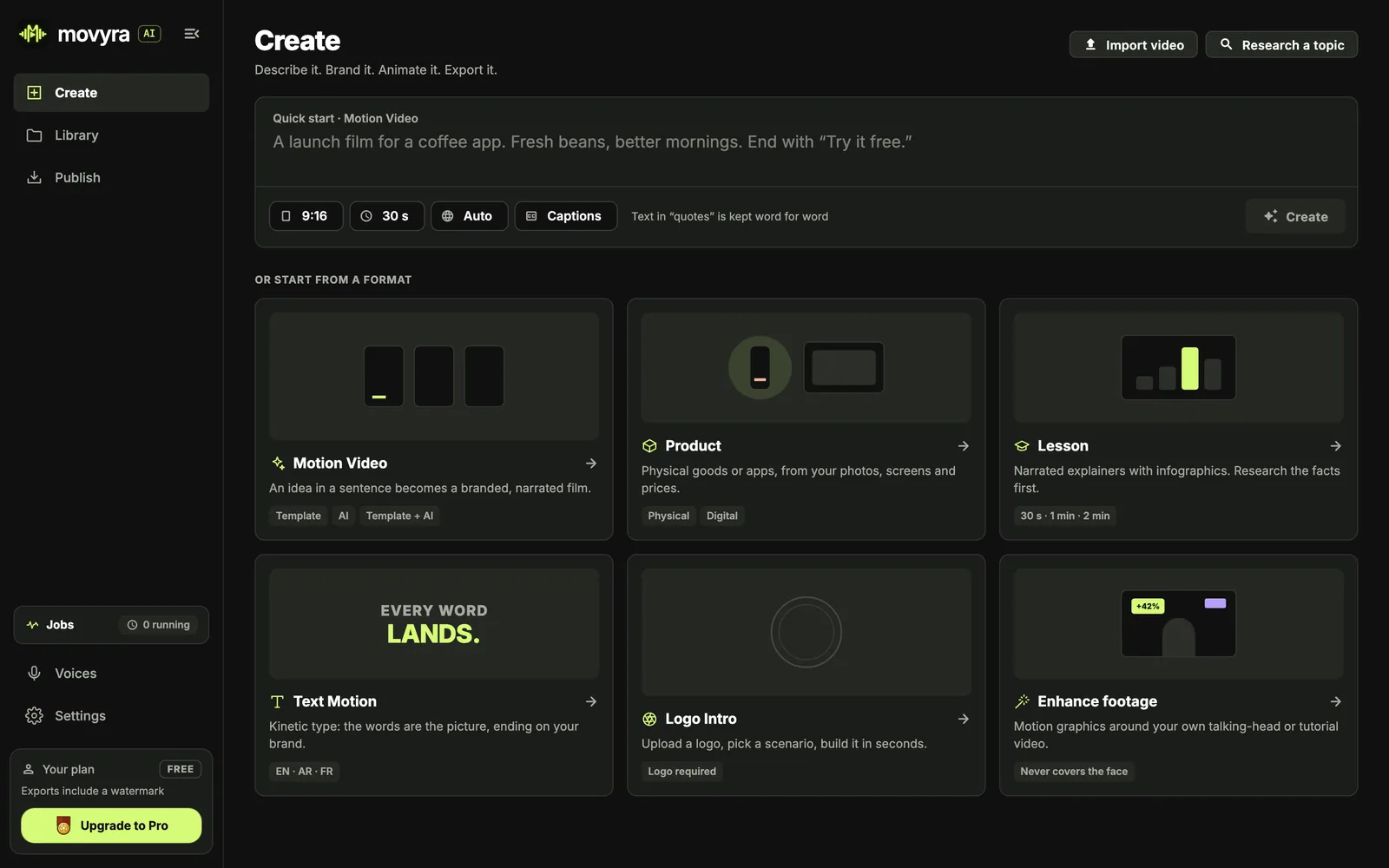
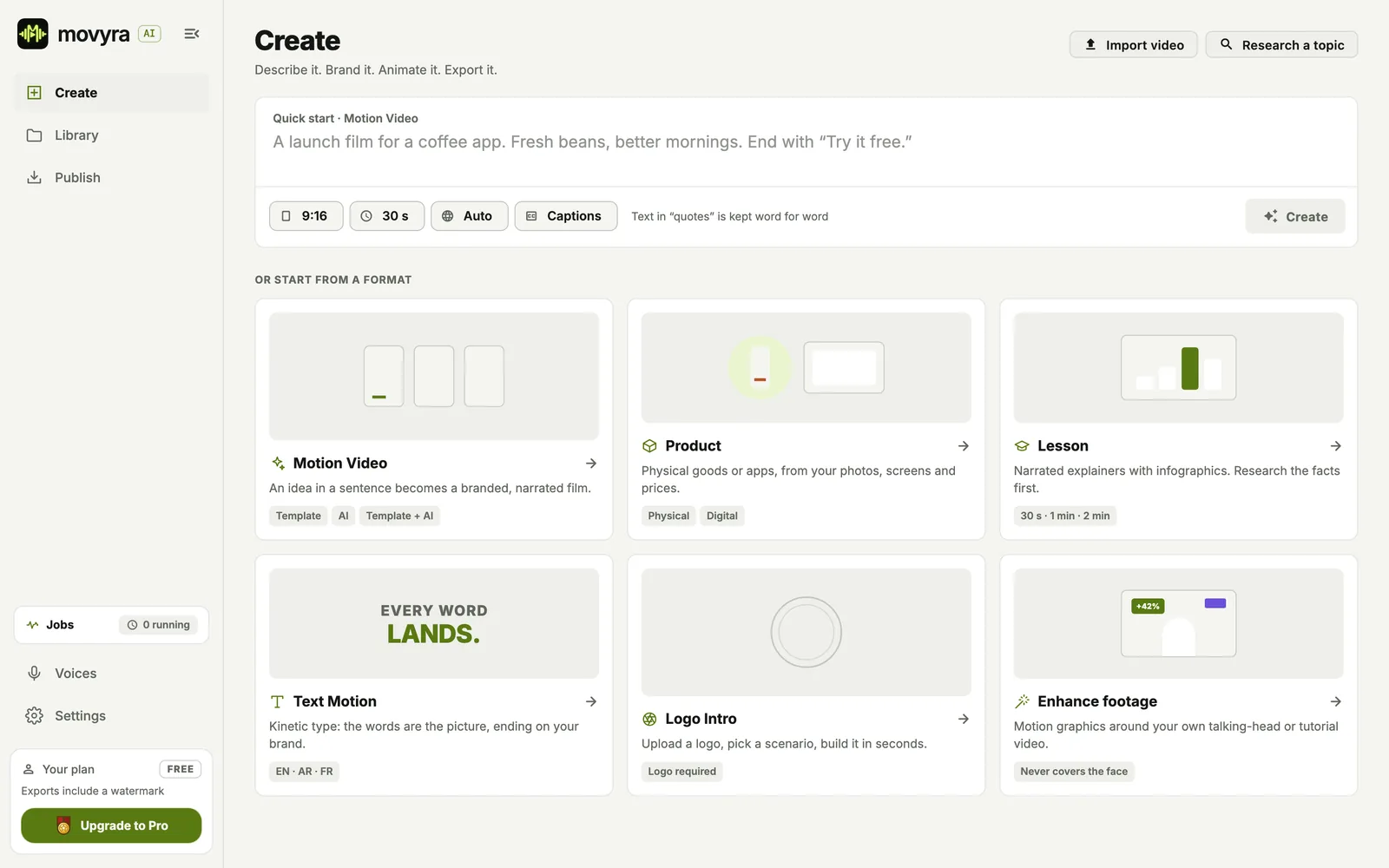
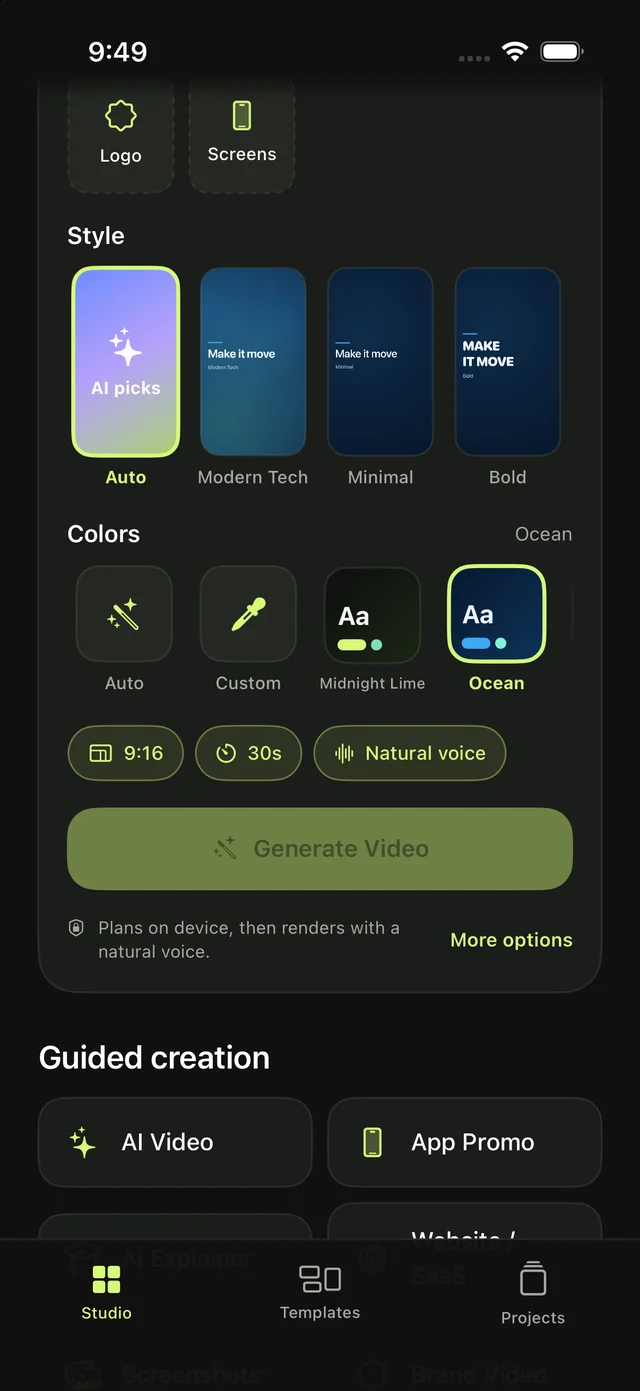
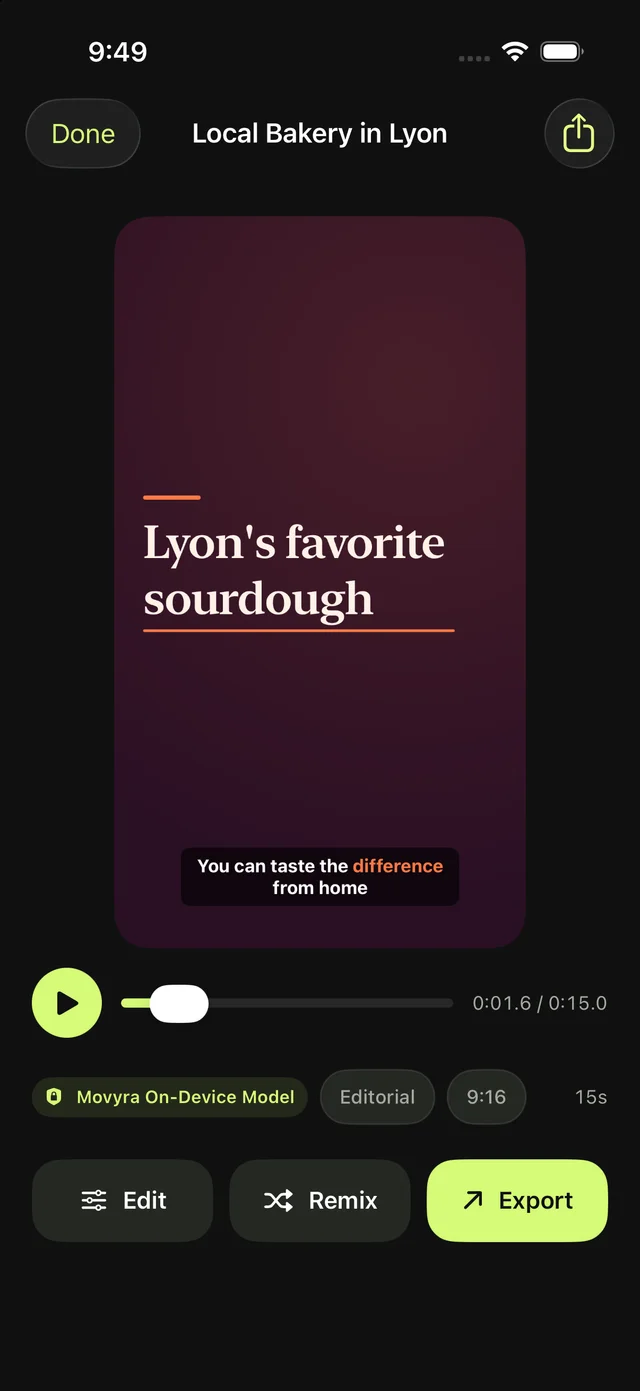
Movyra AI is a local AI motion graphics and video generator. Create product promos, explainers and social videos in English, Arabic or French. Add your brand, edit any scene and export up to 4K. Use local models to keep generation on your device, with optional online services when you need them.
1Your idea
2Script
3Scenes
4Voice
54K export
38
scene types
44
motion presets
11
style packs
10
brand palettes
11
aspect ratios
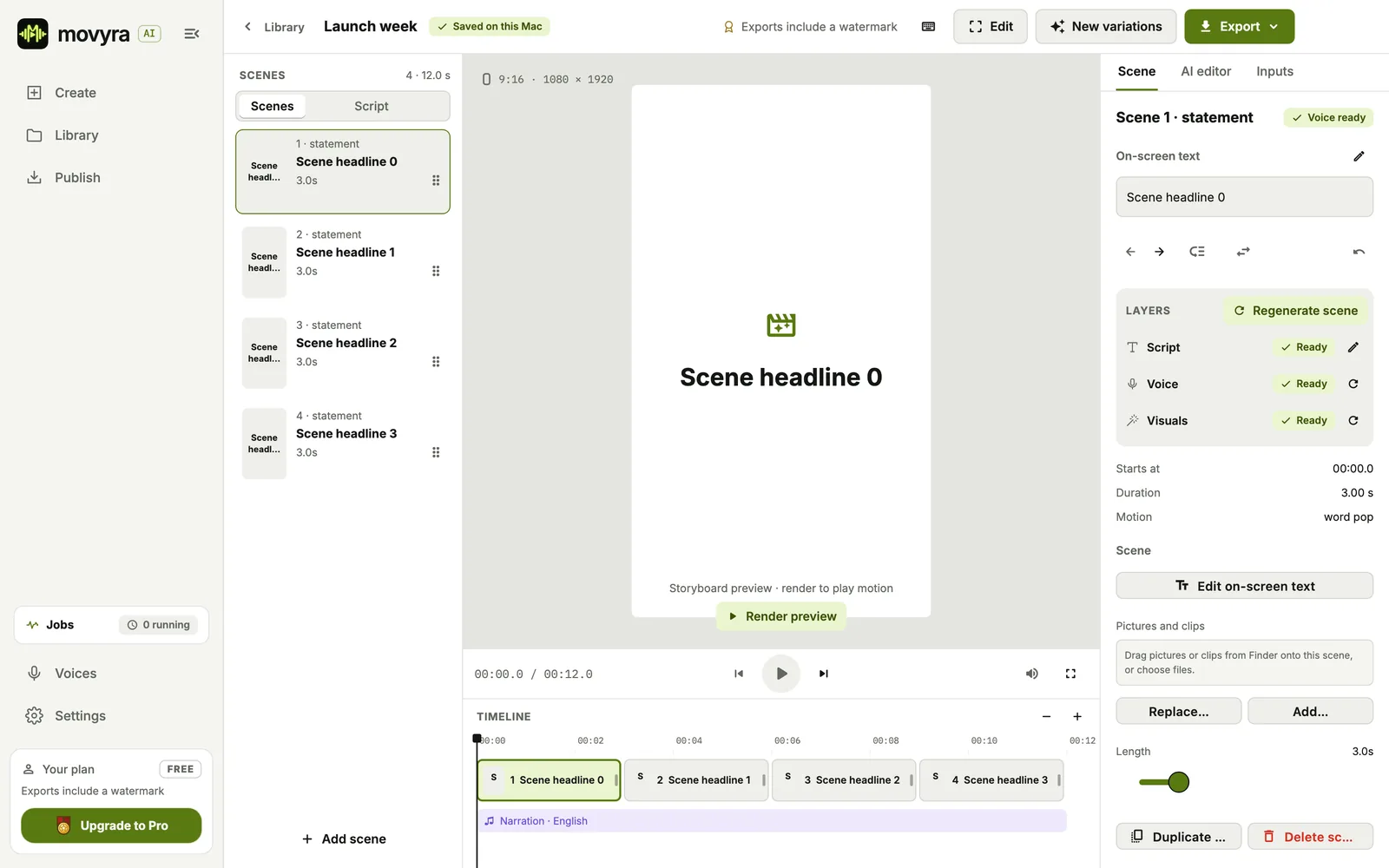
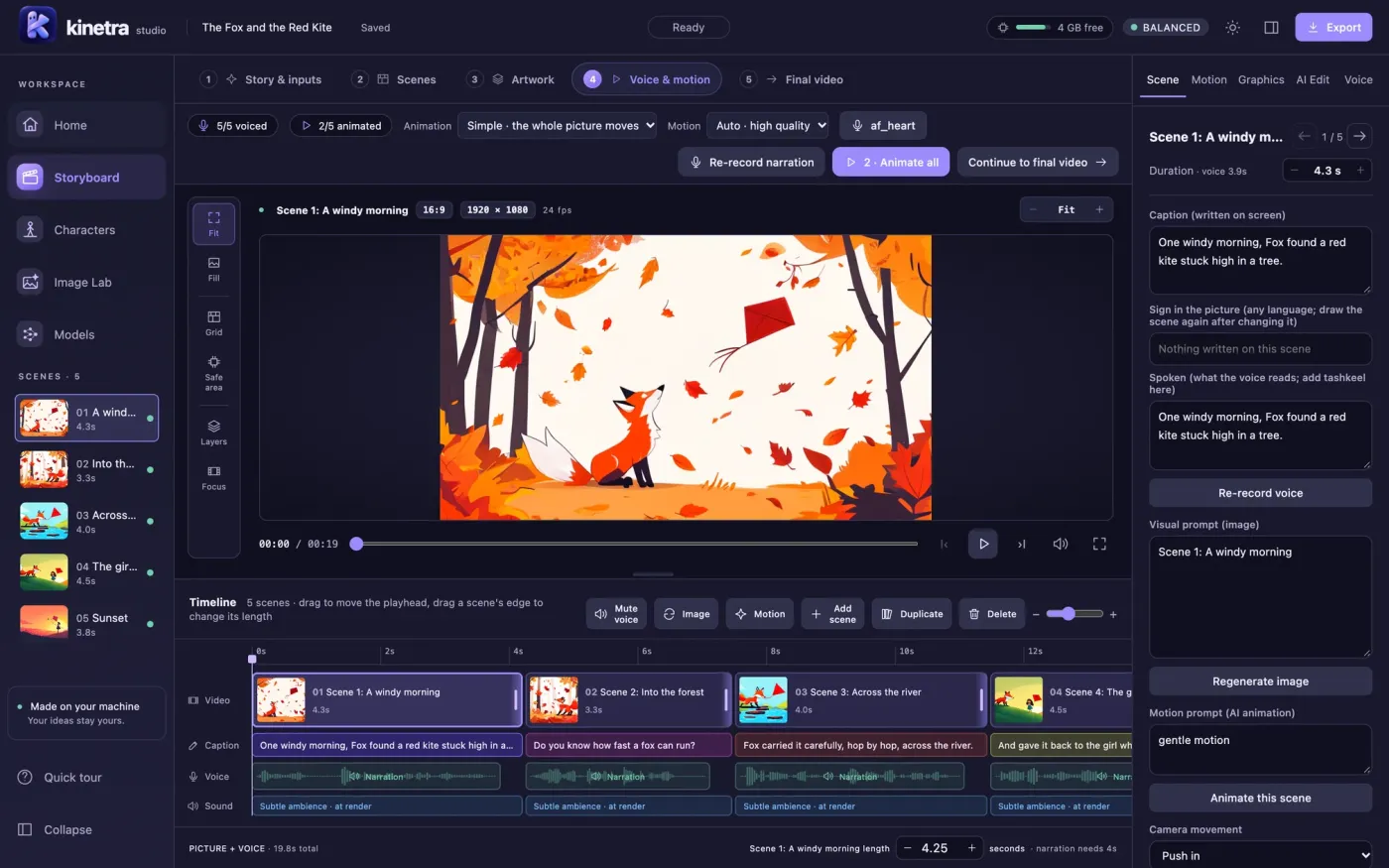
The desktop studio
Full control, scene by scene.
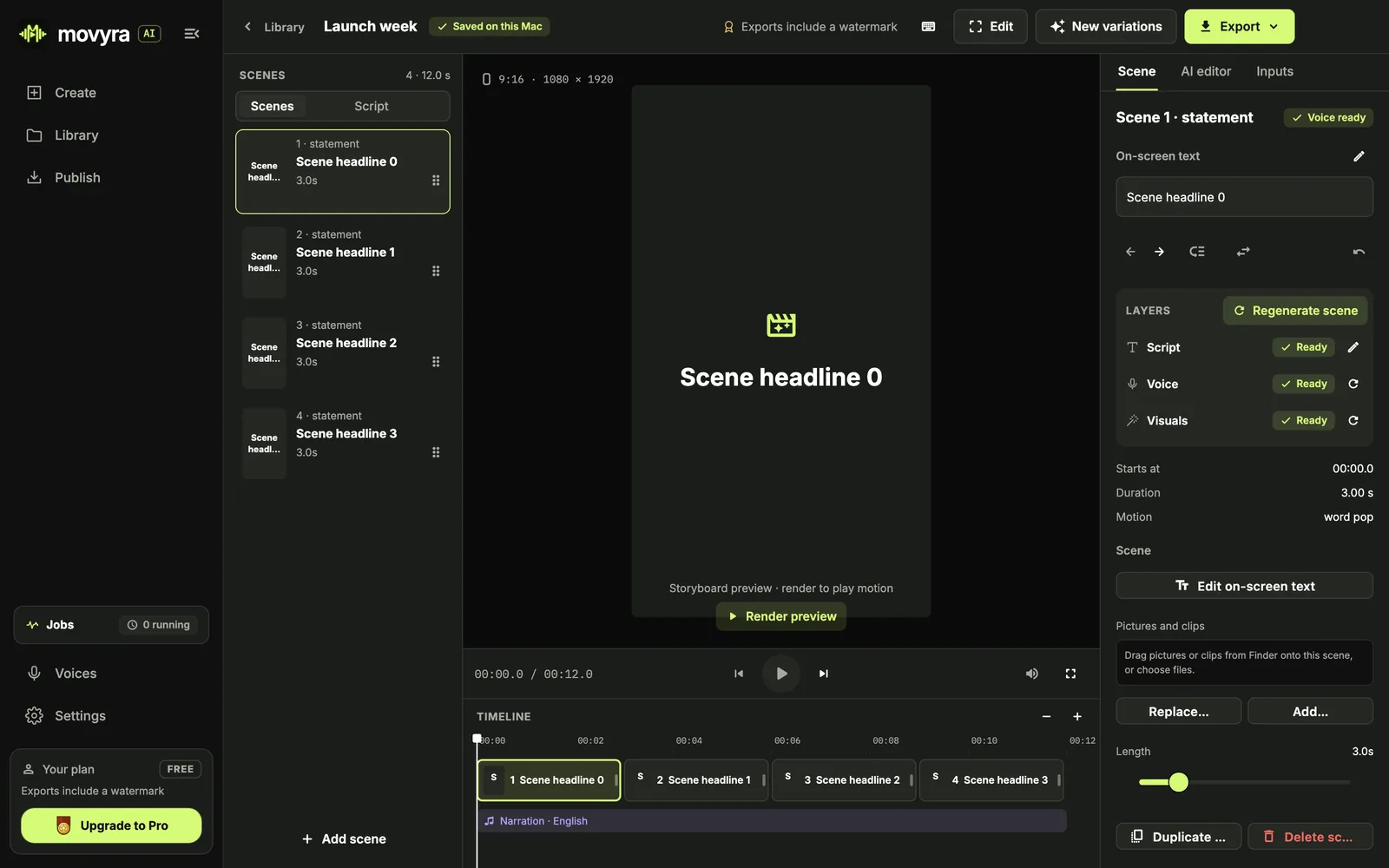
Bring your ideas together in the desktop studio. Refine the script, arrange scenes and fine-tune the timing in one editor.
Movyra
Made with Movyra
From product promos to kinetic typography.
Ways to create
Make the video your idea needs.
Promote a product, explain a topic, animate your brand or improve footage you already have.
01
Desktop · iPhone · iPad
Promote a product
Use Template to turn your idea and brand assets into a narrated product promo with ready-made scenes.
02
Desktop
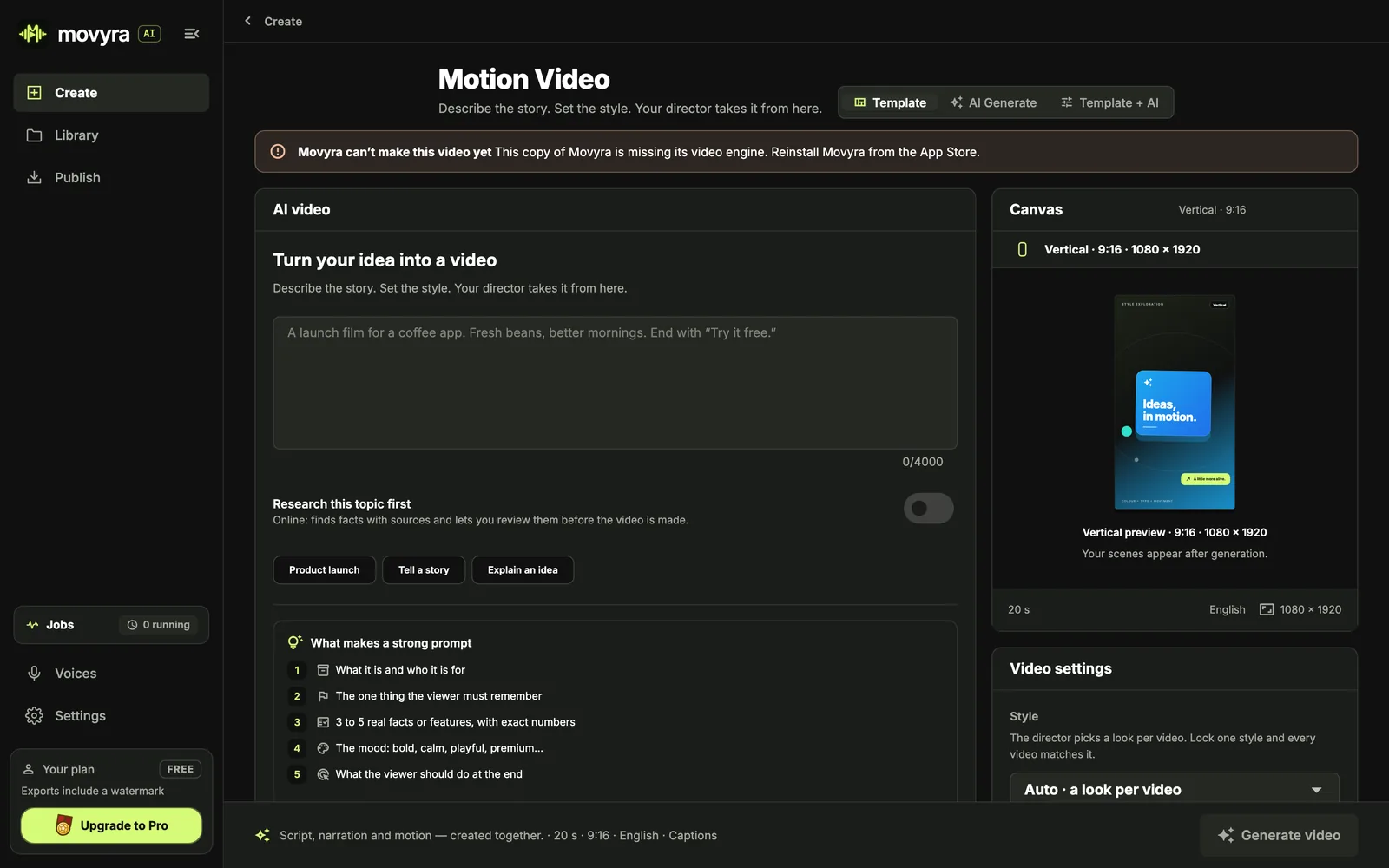
Create from an idea
Describe what you want to see. AI Generate builds a custom animation on your computer.
03
Desktop
Make a template your own
Use Template + AI to adapt a template or an existing project to your message and style.
04
Desktop
Teach something
Use Lessons to explain a topic step by step, from an opening question to a clear recap.
05
Desktop
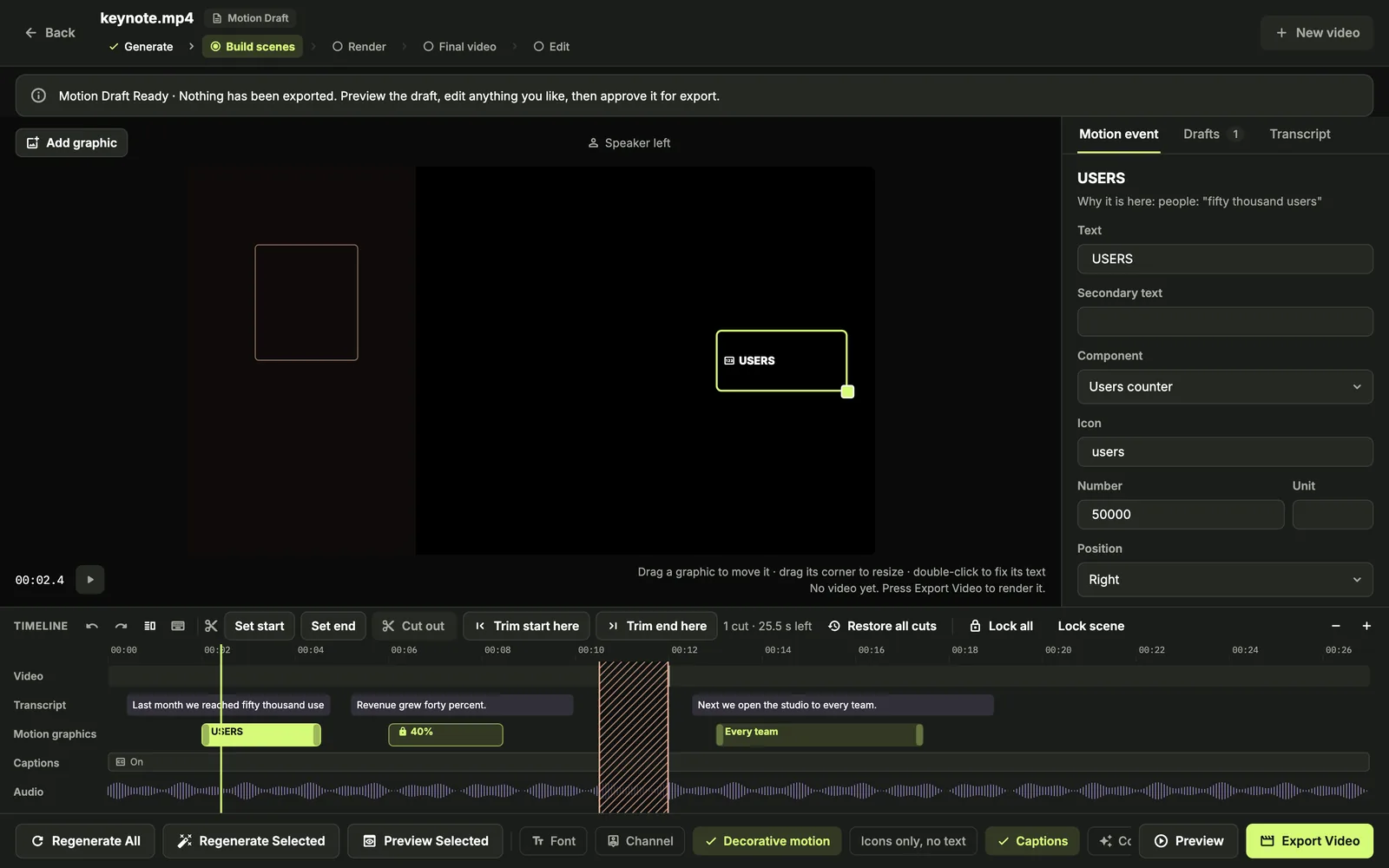
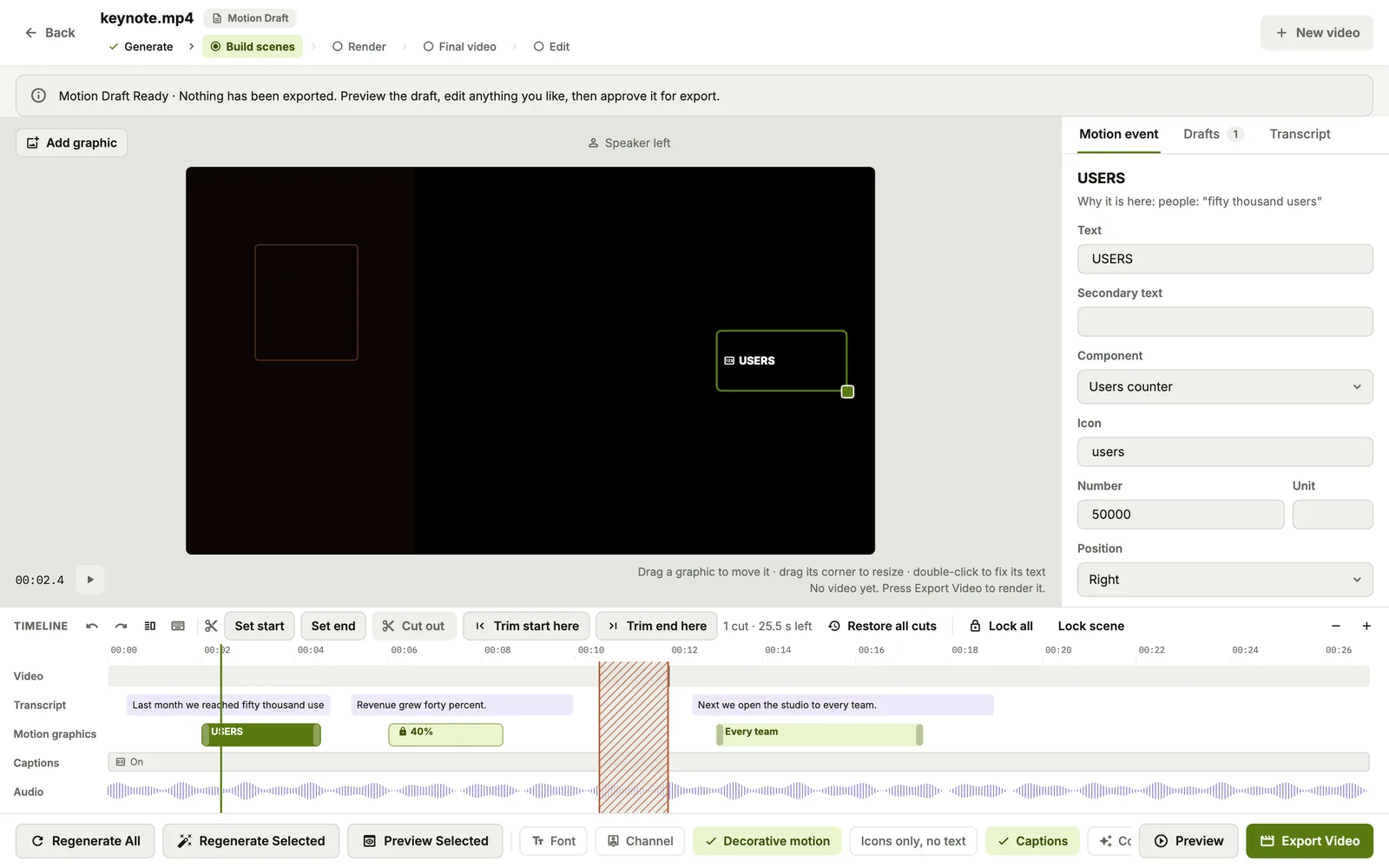
Improve existing footage
Use Motion Enhancer to add captions, icons and motion graphics to tutorials, presentations and talking-head videos.
06
Desktop
Animate your brand
Use AI Logo Intro to turn your logo into a branded opening, with 20 intro scenarios to choose from.
Formats
Ready for every screen.
Vertical for Reels and TikTok, square for feeds, wide for YouTube and slides. Pick a ratio and Movyra lays out every scene for it.
Try this prompt · All
A 30-second video for [your product] that opens on [the problem it solves], shows how it works in three quick scenes, and ends on my logo with [your link]. Tone: [confident and friendly]. Format: [9:16].
Swap the words in brackets for your own idea, then paste it into Movyra.
Choose Text motion and Movyra turns the narration into kinetic type: every word lands as it is spoken, and each line turns into the next with a push, a zoom or a wipe. It ends on your logo or your name.
Words land on the voice, word by word
No cuts: every shot moves into the next
Ends on your logo or brand name, with your link
ENTallpine · EnglishARSahla · ArabicFRMaison Brume · French
New · Line Story
Write a story. Watch it draw itself.
Paste a story or give Movyra one line. It casts the characters, draws every scene stroke by stroke, gives each character their own voice, and turns one drawing into the next. English and Arabic, standard or Egyptian.
Characters and places drawn from your words, line by line
Every character speaks in their own voice, with captions
Review the storyboard, change any scene, then render
The day the internet disappearedIf the moon vanished tonightFalling into a black hole
How it works
From idea to video in four steps.
Tell Movyra what you want to make. Review the result and make it yours — no editing experience needed.
01
Describe
Tell Movyra what you want to create. Choose a language, length and format.
02
Brand
Add your logo, screenshots, colors and media.
03
Generate
Movyra builds the script, scenes, narration, captions and motion.
04
Export
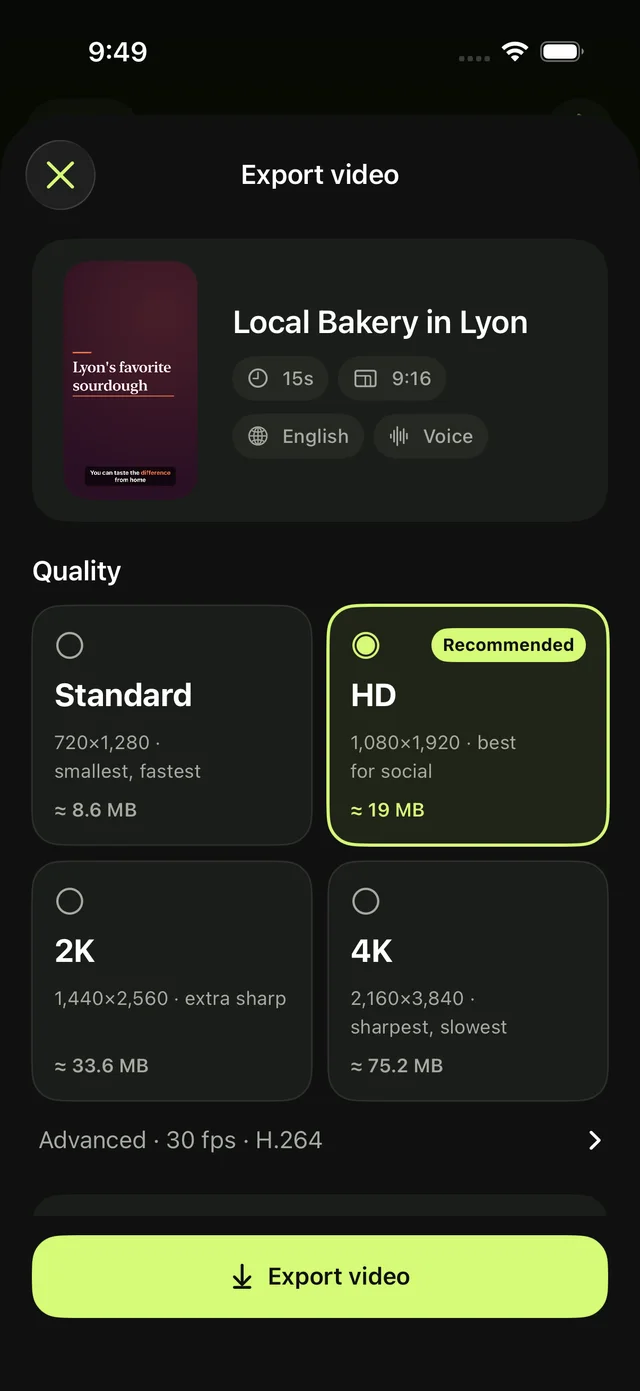
Review your video, adjust any scene and export a share-ready MP4 up to 4K. ProRes is also available on Mac.
Share a video from your computer, or bring your finished videos from Movyra for Mac. Choose your platforms, let Publisher prepare each post, then review and press Post when you are ready.
Tick the platforms and press Publish selected.
The selected platforms open in turn: your video uploads and each post is filled in for you.
A chime tells you when all are ready. You check each one and press Post.
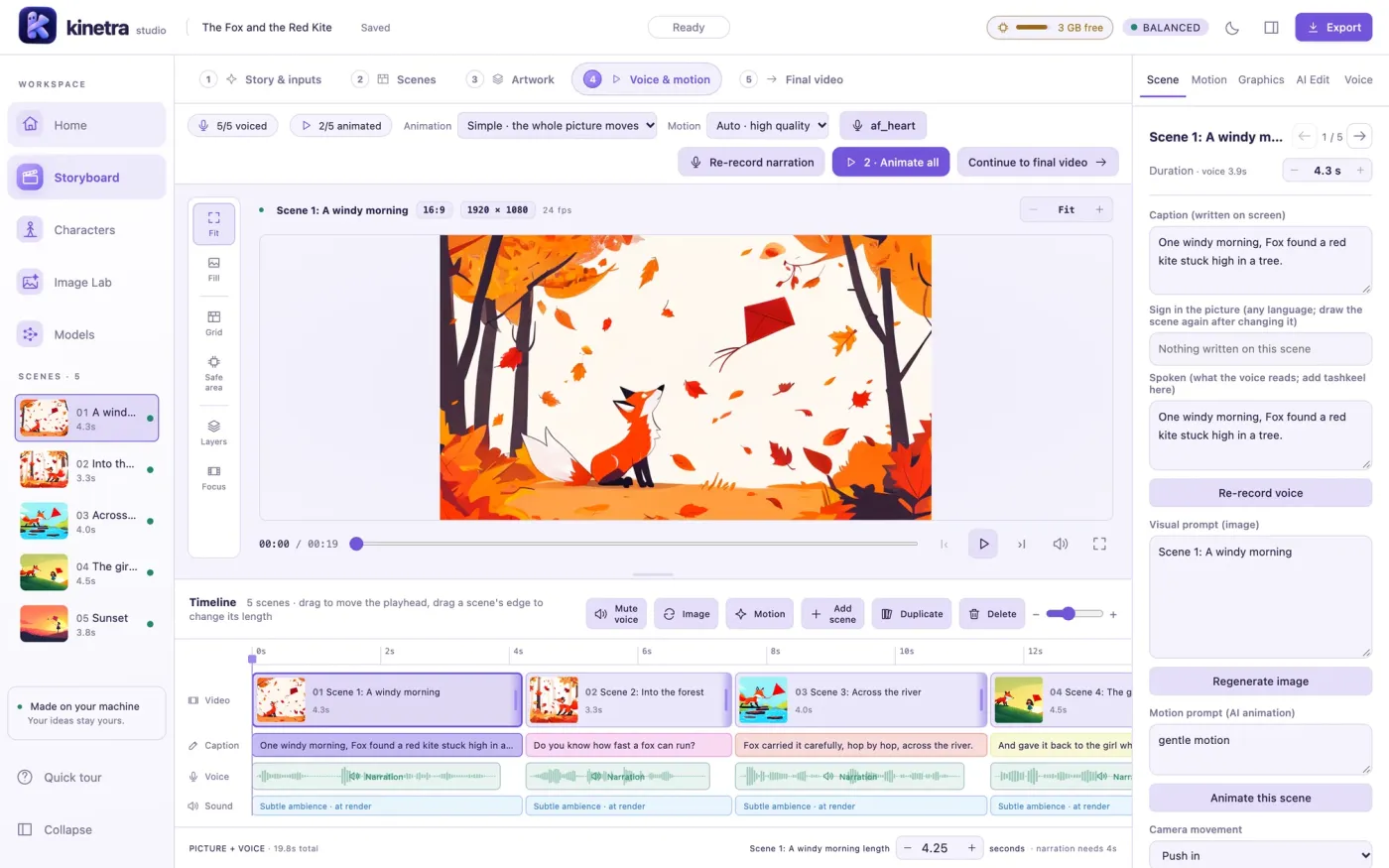
Our 2D animation studio for Mac. Turn an idea or a script into a fully voiced animated video: storyboard, artwork, motion, narration and captions, all made on your own machine.
An AI director splits the story into scenes and plans every shot
Characters keep their look across every episode, with lip sync
Change one scene in plain words, not the whole video
Create in Arabic with right-to-left layouts, Arabic text rendering and support for mixed Arabic and English narration. Local diacritics support helps compatible voices pronounce Arabic. English and French are available too.
Arabic narration and right-to-left layouts
Diacritics support for compatible voices
English and French narration
Direct every scene.
A real editor when you want one: scenes, script and timeline side by side. Reorder scenes and their narration follows, edit on-screen text, or ask the AI for a change in plain words.
Scenes, script and timeline tracks
Undo, versions and variations
Chat-style AI edits
On device4K · ProRes
Private by design.
With local models and voices, your prompts, media and video generation stay on your device. No cloud AI account or API key is required. Online voices, web imports, research and publishing use external services when you choose those features.
Create offline after downloading local models
Keep project files under your control
Optional usage analytics and Pro checks use the internet
Languages & voices
Narration in three languages.
Listen before you create. Choose local voices for on-device narration; optional online voices need an internet connection.
Pricing
Free to create. Pay once to remove the watermark.
Create with all the features available on your device. Free exports include a small Movyra watermark. No subscription.
LinuxComing soonUbuntu 22.04, Debian 12 or later, 64-bit · AppImage
Direct desktop builds check for updates automatically. Mac and Windows can install them automatically when enabled in Settings; Linux offers a manual download. App Store builds update through Apple.
FAQ
Questions, answered.
Is Movyra free?
Yes. Create with all the features available on your platform and export up to 4K for free. Free exports include a small Movyra watermark.
Does Movyra use cloud AI?
Local models handle generation on your device without a cloud AI account or API key. Optional online voices, speech recognition, web imports and research use external services. Publishing uploads your video to the platforms you select. Local workflows work offline after model downloads; enabled usage analytics and Pro checks also use the internet.
Do I need an account?
No Movyra account is needed to create. App Store purchases use your Apple Account. Direct desktop Pro purchases use a license code, and publishing uses the social accounts you sign in to in your browser.
Can I create videos in Arabic?
Yes. Movyra supports Arabic narration, right-to-left layouts, Arabic text and mixed Arabic/English speech. Diacritics support is available for compatible voices. You can also create in English and French.
Which devices are supported?
Movyra is on the App Store for iPhone, iPad and Mac, and there are direct desktop builds for Mac, Windows and Linux. Check the download section for what's available and the Requirements page for hardware guidance. Features differ by platform; Android is planned.
Can I export without a watermark?
Yes. Movyra Pro removes the watermark with a one-time purchase. The listed price is US$49.99, or the local App Store price. Buy inside the App Store app, or visit the Pro page for the current direct desktop license price. A desktop license activates one computer at a time. Export earlier videos again to remove their watermark.
Does Movyra require a subscription?
No. Creation is free, and Movyra Pro is a one-time purchase to remove the watermark.
Can I use my own branding?
Yes. Add your logo, screenshots, product photos and colors. Movyra can extract colors from your logo. Importing a website link needs an internet connection.
What formats can I export?
Export MP4 at 720p, 1080p, 2K or 4K, or MOV ProRes on Mac for further editing. Choose vertical, square or wide layouts, including 9:16, 1:1, 4:5 and 16:9.
Can I edit the generated video?
Yes. Refine your scenes and on-screen text before exporting. The desktop studio adds a scene, script and timeline editor, plus AI editing for supported workflows.